The coding agent that understands
Codistry maps your entire codebase, so every change carries through to every caller, test, and dependency.Codistry maps your entire codebase and learns how you work. Every change carries through to every caller, test, and dependency: the parts other agents skip.
Free plan available · No credit card required
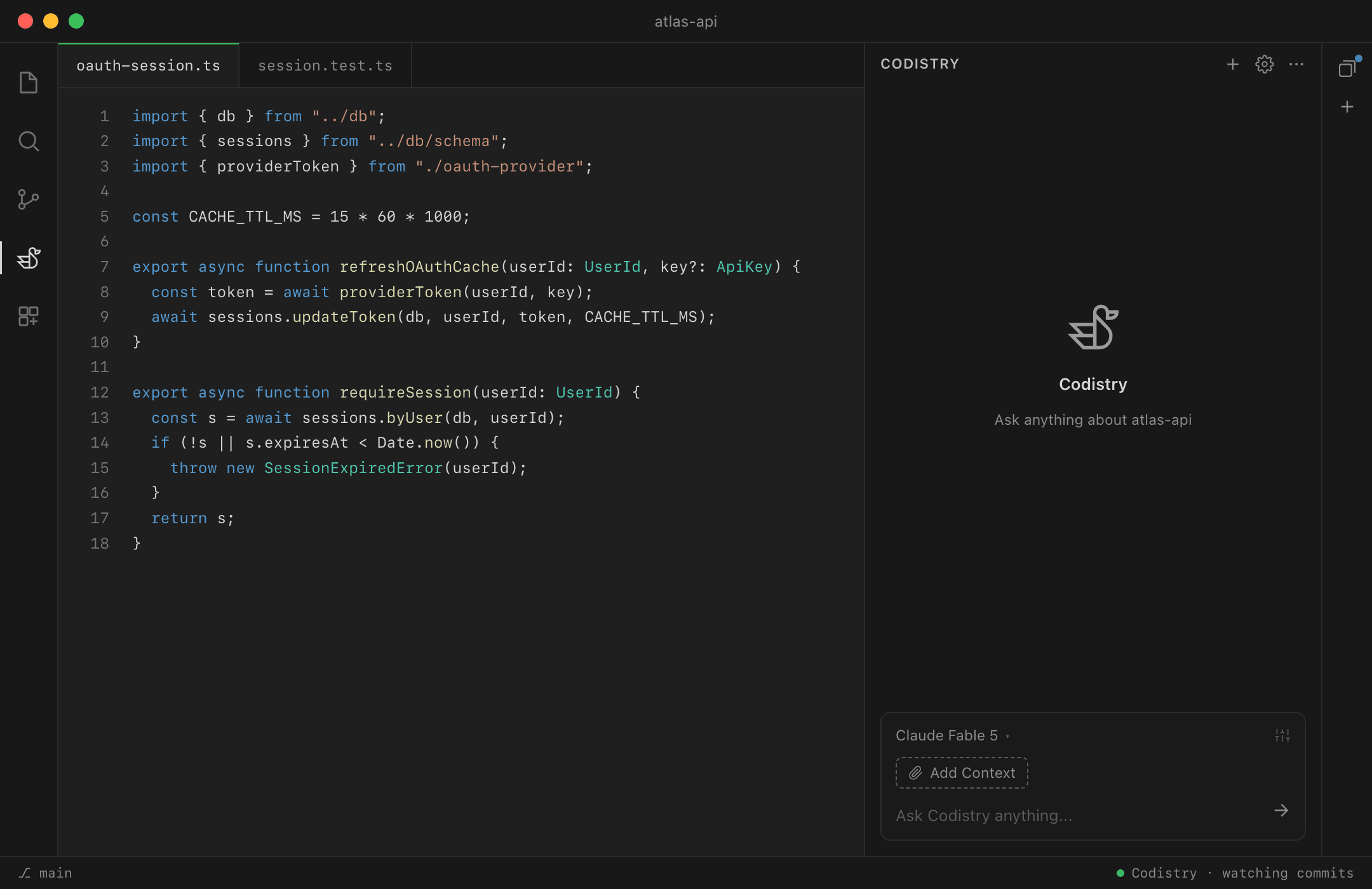
Codistry in VS Code, citing the code it read
Your codebase, explained. Your tokens, saved.
Codistry explains your codebase once, then hands the model only the code each task actually needs. Same work, fewer tokens, with any model you run.
kept current as you commit · how the context engine works·we measured the cost
the ask
Why do OAuth users get signed out when their API keys rotate?
the engine checks its map
match: Auth Sessions · files that change together when keys rotate
the pack · handed to the model
- rotate-keys.tsmints the replacement key
- oauth-session.tsowns the session cache
- session.test.tspins the expected behavior
what the model reads
A coding assistant that learns how you work
Codistry adapts to your codebase and your habits with every session. It writes in your conventions, remembers what you've explained, and picks up where you left off.
It maps your expertise from your commit history alone: it defers to you where you lead, and explains more where you're new.
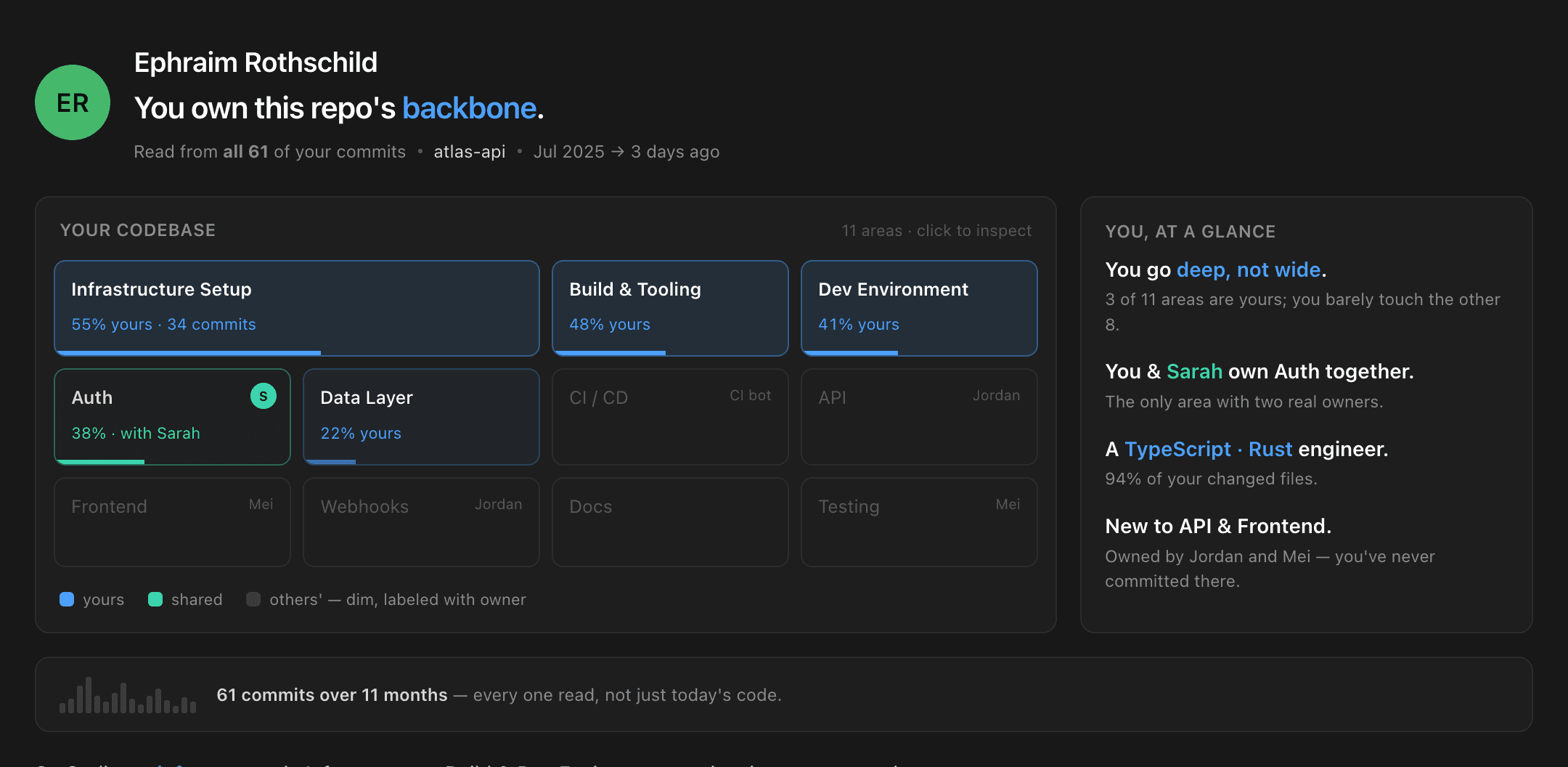
the Expertise view, built from your commits · how expertise works
Any model you want, whenever you want it
Codistry isn't tied to one lab. Use a cheap model for the routine work and a frontier model for the hard problems, switching from one prompt to the next.
Bring your own keys, run local models, or use hosted models on your plan. As new models ship, you move when you want to.
Everything Codistry learns about your code lives in your editor and your repo. Cloud models see only what you choose to send, and with local models it runs fully offline, even air-gapped.
one session · three prompts, three models
switch mid-session, nothing to reconfigure · supported models·what the extension sends
Works with the stack you already have
Codistry runs in VS Code, alongside the agents and tools your team already uses. Bring it in for the hard parts where other assistants get lost, and leave the rest of your workflow exactly as it is.
Context engine
Maps your repo into a knowledge graph: symbols, relationships, and how the code changes together over time. Kept current as you commit. Watch one build:
Parallel sessions
Run several tasks side by side. Switching between them never cancels a run.
Subagents
Hand a self-contained chunk of work to an isolated agent with its own brief and tools. Only the result comes back.
MCP integrations
Hook up databases, APIs, and internal tools over the MCP protocol. Pre-built servers or your own.
Sandboxed skills
Specialized skills run inside isolated Docker containers, away from the rest of your system.
Three steps to your first session
No procurement, no pilot program. See pricing →
Install the extension
Grab it from the VS Code marketplace, or email yourself an install link to open at your desk.
Install page →Connect a model
Use hosted models on the Developer plan, paste your own API key, or point it at a local model through Ollama or LM Studio.
Supported models →Hand it a real task
Open a repo and ask for an actual change, not a toy demo.
Quick start guide →
No idea what to hand it?
By the time the index is built, Codistry has ideas of its own: work drawn from your recent commits and the areas you own. You won't start from a blank prompt.
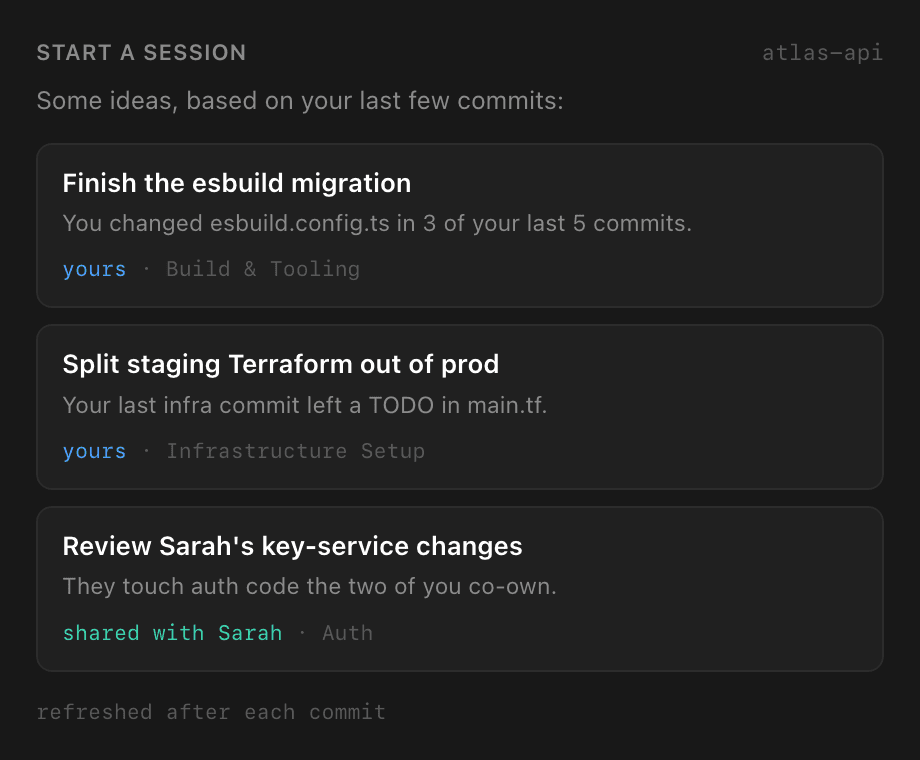
drawn from your recent commits, refreshed as you work
Try it on your own codebase
Pick a plan, open a project, and give Codistry something real to do. The first session is the demo.
Free plan available · No credit card required
Prefer receipts to promises? What the extension sends·Privacy policy·FAQ